Signing up
To use the Wyvern platform and its APIs, you need to create an account using our secure sign-up workflow. Follow these steps to get started:
1. Go to the Sign-up page
Open the following URL in your web browser:
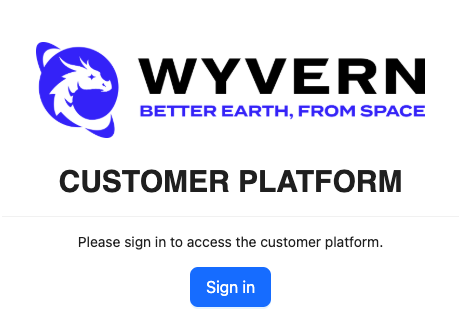
2. Choose "Sign in"
On the page, select the Sign in option.
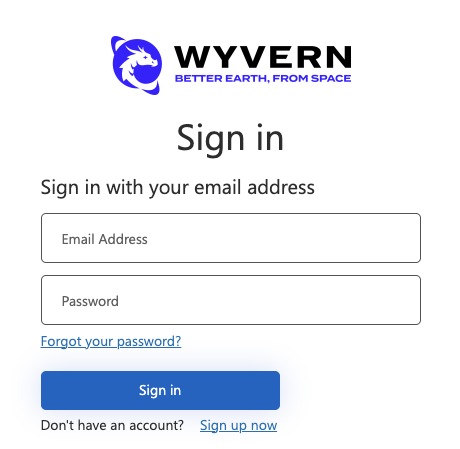
3. Choose "Sign up now"
On the page, select the Sign up now option.
4. Enter your information
Fill in the required fields:
- Email address This will be your username.
- New Password Choose a strong password that meets the security requirements.
- Confirm New Password Type the same password into this field.
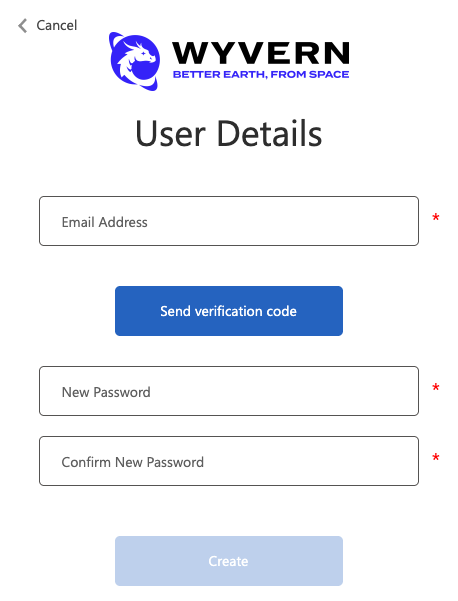
As with all credentials, ensure that you protect this information in a secure fashion. Consider using a password manager. You'll need to provide these credentials to sign into the console and also when accessing the API.
If these credentials are ever compromised, you can change you password using the Forgot your password? link on the sign in page.
5. Verify your email
Select the Send verification code button. This will send an email to the email address you provided containing a verification code.
- Copy the verification code and enter it in the Verification Code field.
- Select Verify Code to complete the verification.
6. Complete registration
Select Create to finish the account registration. You will be signed in and returned the console.
7. Complete your onboarding
Once you're signed back in to the Wyvern console, simply follow the instructions on screen to complete your onboarding. You'll need to provide us some information about you and the company you work for. This information will be used to comply with regulatory requirements.
You'll also need to agree to our terms and conditions before you can begin ordering imagery.
We'll review the information you've provided and get in touch with you once your account has been approved. In the meantime, please continue to browse our documentation.
If you do not receive a verification email, please check your spam or junk folder. If you have any issues during sign-up, please contact our support team at support-api@wyvern.space.